
Understanding the CATTAB Dashboard
The CATTAB Dashboard provides an instant pulse on your business, eliminating the need to cross-reference multiple spreadsheets to understand current progress.
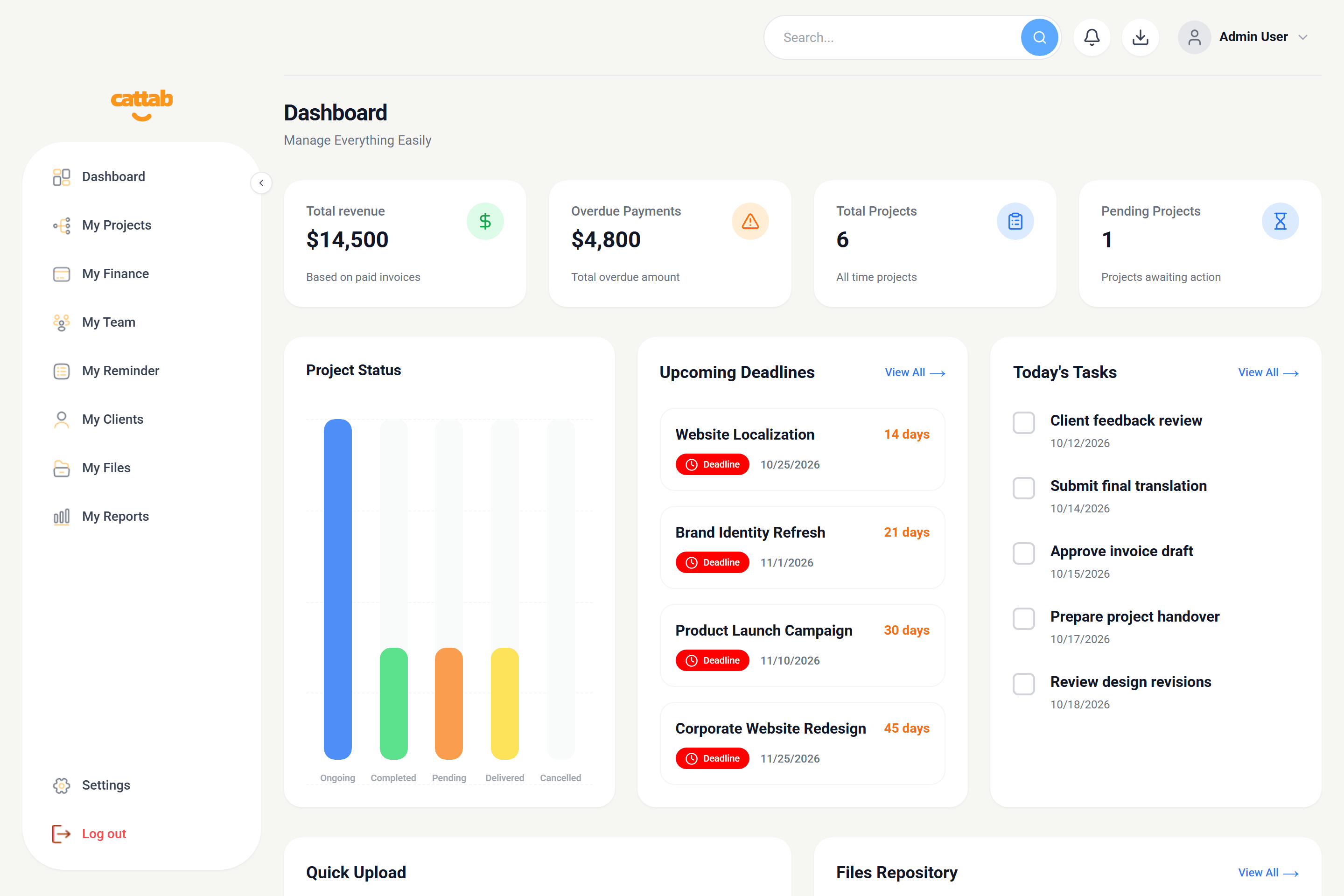
Key Operational Metric Cards
At the top of the dashboard, four primary cards summarize financial and project velocity:
Upcoming Deadlines and Urgent Tasks
The center of the dashboard lists projects approaching their scheduled delivery timestamp. Items due within 24 hours receive priority highlighting so you can reassign resources or follow up with team contributors before delivery windows lapse.
Clicking directly on any project row in the dashboard opens its detailed view for fast milestone updates.
Related Guides
Was this guide helpful?
Have feedback or need assistance with your setup? We're here to help.
Run your client work from one clear workspace.
Bring projects, client records, team capacity, and finances into a unified operating platform built for fast-moving service businesses.